

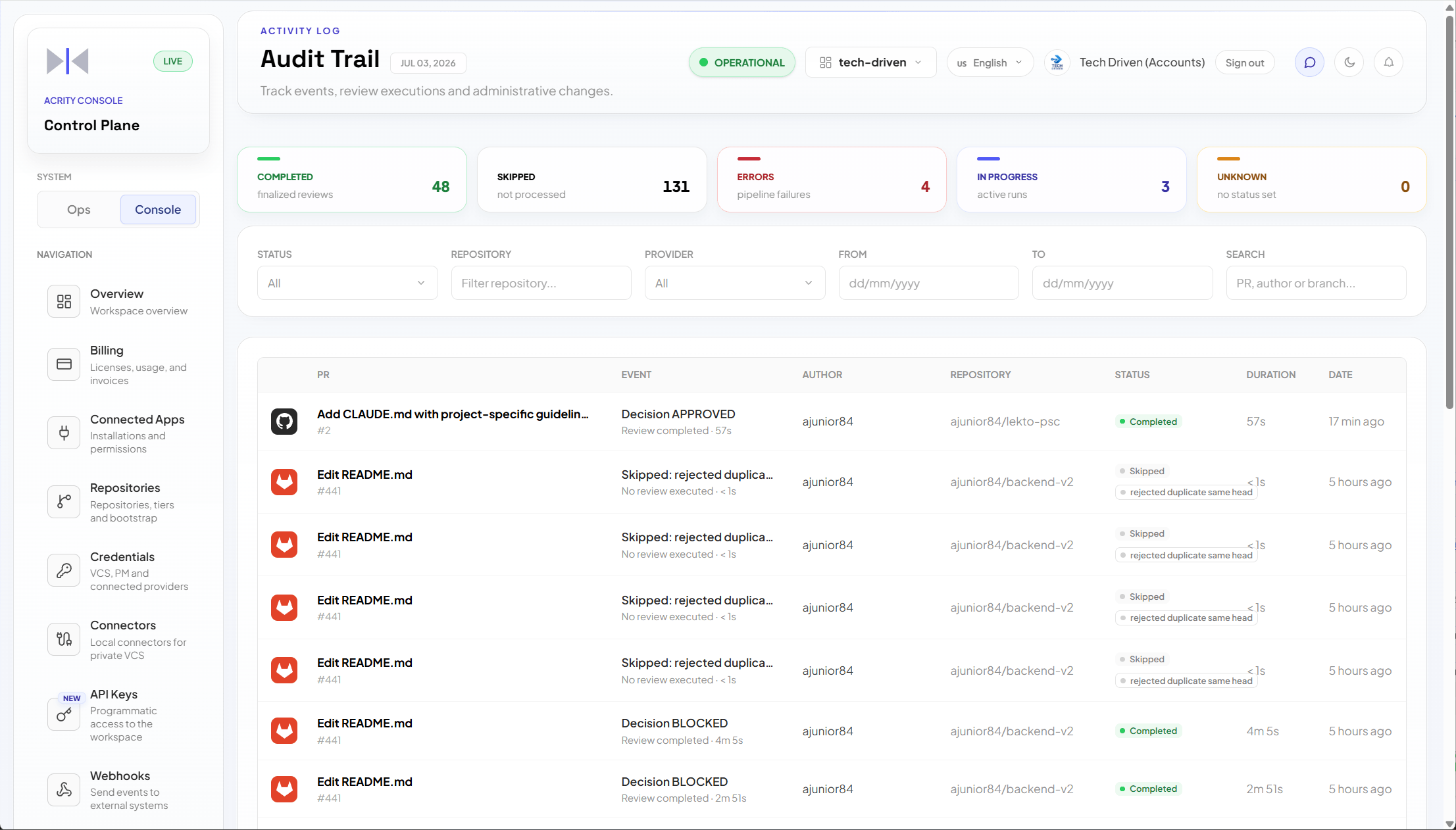
Console > Audit Trail to search runs, filter by period, and open a run to see its details.
Audit Trail is a diagnostics log for review runs. It does not record configuration changes, member changes, or API-key changes. Those actions are not tracked here.
When to use
Use Audit Trail to:- investigate why a review run failed, was skipped, or is still in progress;
- confirm whether a review ran for a given PR/MR;
- inspect run details and diagnostics for a specific run;
- review execution history for a repository;
- support internal audits of review activity.
Who can access
Audit Trail requires a Workspace admin (platform admins also have access). Roles are fixed capability sets defined by Acrity.Run outcomes
Each run resolves to one of the following states:Common filters
Investigate a missing review
1
Open Audit Trail
Go to
Console > Audit Trail.2
Filter period
Choose a range that includes the expected review time.
3
Filter repository
Select the repository related to the PR/MR.
4
Review status
Look for error, skipped, or in-progress runs.
5
Open detail
Open the run to see available information and the recommended action.
6
Fix the source
If the run points to a credential, webhook, connector, or branch rule, adjust the corresponding screen.
Best practices
- Always filter by period before investigating.
- Use repository as the main filter when the issue involves review activity.
- Check alerts in source menus first, such as Credentials or Repositories.
- Record relevant findings in your internal process.
- Remember that configuration, member, and API-key changes are not in this log; use the corresponding Console screen instead.
Common issues
What not to publish in external audits
When exporting or sharing evidence outside your organization:- remove tokens, secrets, internal URLs, and unnecessary personal data;
- share only the relevant period and runs;
- follow your organization’s security policy;
- use approved channels for communication with support.