

Where to configure
In the Console, open Webhooks in the workspace. Webhooks require a Workspace admin (platform admins also have access).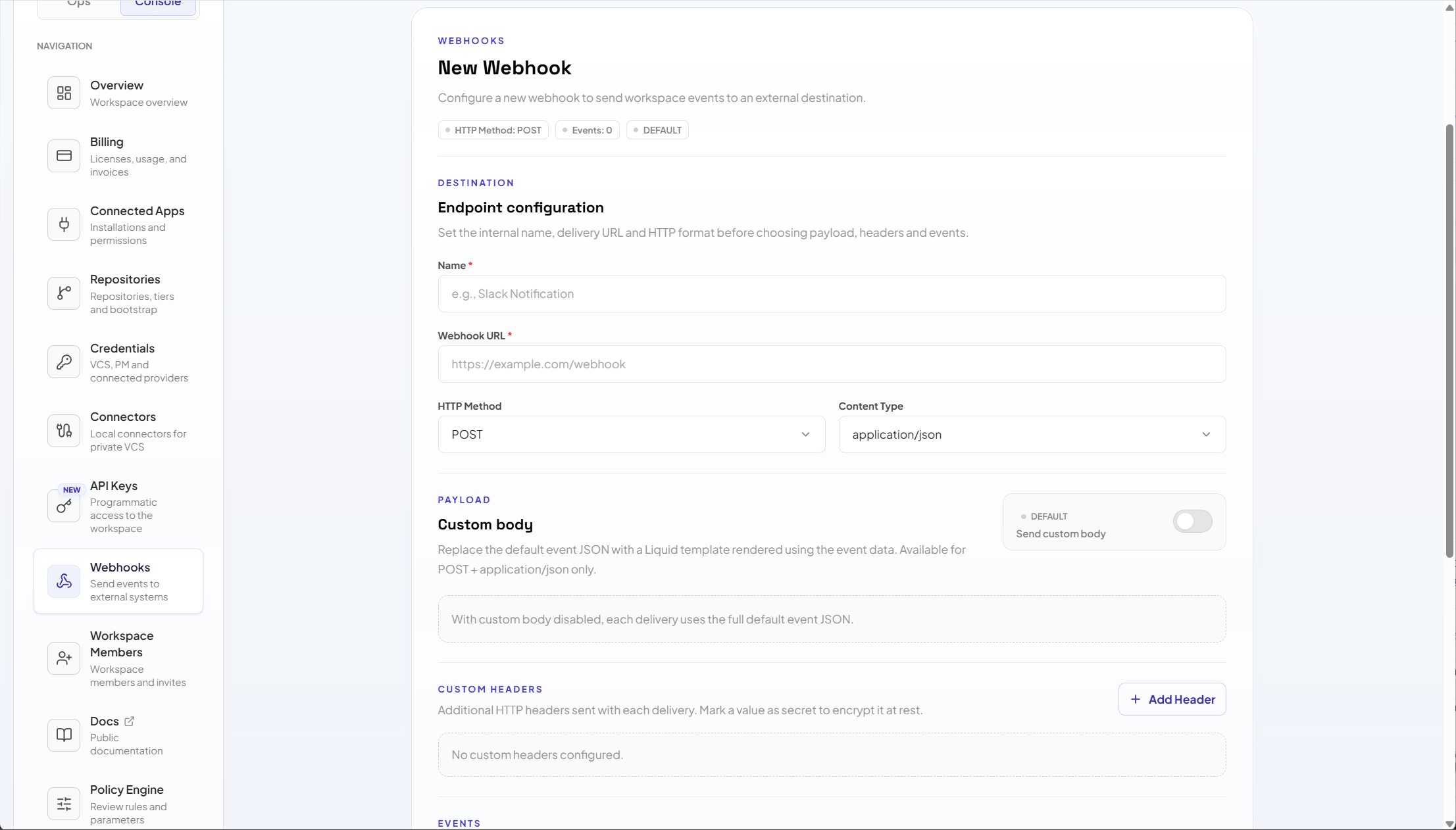
HMAC
When HMAC is enabled, Acrity signs the payload sent to the destination with a shared secret. The destination must recalculate the signature with the same secret and reject messages that do not match. Best practices:- Use a long, random, unique secret per webhook.
- Store the secret in the receiver system’s vault.
- Validate the signature before processing the event.
- Reject requests without HTTPS in production.
- Rotate the secret when exposure is suspected.
Verify the signature
When HMAC is enabled, Acrity signs each outbound delivery and sends the signature in a header. Recompute the signature on your side and compare it to the header before you process the payload. Every delivery includes these headers:
The signature value is
sha256= followed by the lowercase hex digest of an HMAC-SHA256 computed over the raw request body using the webhook secret.
To verify a delivery:
- Read the raw request body exactly as received. Do not re-serialize or reformat it.
- Compute HMAC-SHA256 over the raw body using the webhook secret.
- Format the result as
sha256=followed by the lowercase hex digest. - Compare your value against
X-ACR-Signature-256using a constant-time comparison. - Reject the request if the values do not match.
Replay protection
Acrity does not add timestamp-based replay protection to outbound deliveries, and the signature alone does not stop a captured request from being replayed. De-duplicate on theX-ACR-Delivery ID: record the IDs you have already processed and ignore repeats.
Inbound verification
For inbound VCS webhooks, Acrity verifies the provider’s webhook signature before processing the event, so deliveries that fail signature validation are rejected. This happens automatically and needs no configuration.Secret headers
Headers marked as secret are treated as secrets in the Console. When editing, leave the value blank to keep the saved secret, or enter a new value to replace it.Tests and deliveries
Use the webhook test to validate:- Connectivity to the URL.
- Payload format.
- Required headers.
- HMAC validation in the receiver.
- Destination response codes.
Rotation
To rotate an HMAC secret:1
Create a new secret in the receiver
Configure the new secret in the system that receives the webhook.
2
Update the webhook in Acrity
Edit the webhook and replace the HMAC secret.
3
Send test
Confirm that the receiver validates the new signature.
4
Enable normal flow
Track the first real deliveries after rotation.